

Download YouTube VR – Virtual Reality, YouTube, Android, VR Headset, Free Application, Desktop Utility
Overview
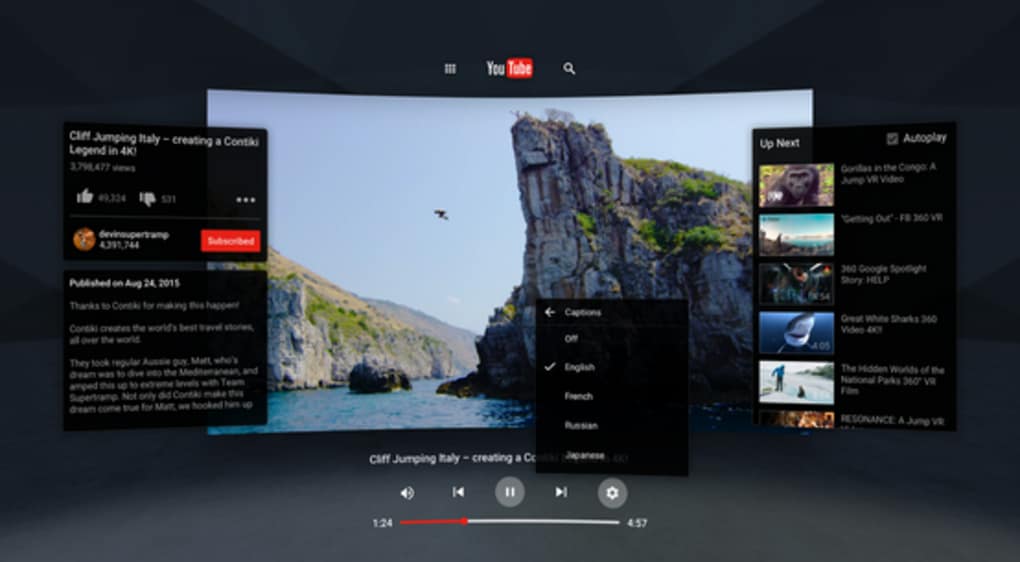
YouTube VR transforms the way users interact with video content by bringing the YouTube experience into a virtual reality environment. Designed for Android devices, this application enables users to immerse themselves in videos through compatible VR headsets, creating a front-and-center viewing experience. The software allows users to browse, play, and control videos as if they were in a private theater, with interface elements positioned to the left and right of the main screen for intuitive navigation.
Targeted at consumers and digital content enthusiasts, YouTube VR caters to individuals seeking a more engaging way to watch videos. Whether viewing music videos, educational tutorials, or casual browsing content, the app aims to enhance user engagement through immersive visuals and spatial audio. The application is positioned as a free tool, available via the Google Play Store, and is intended to work with any Android-compatible VR headset.
While the developer did not provide additional details about the development team or company background, the app’s functionality centers on integrating YouTube’s vast video library with VR technology. Real-world use cases include home entertainment, remote learning, and immersive media consumption. The software does not require a subscription or in-app purchases, making it accessible for users looking to experiment with VR without financial commitment.
Key Features & Capabilities
- Immersive VR Viewing – Enables users to watch YouTube videos in a 360-degree virtual environment, simulating a personal theater experience with videos displayed in front of the user.
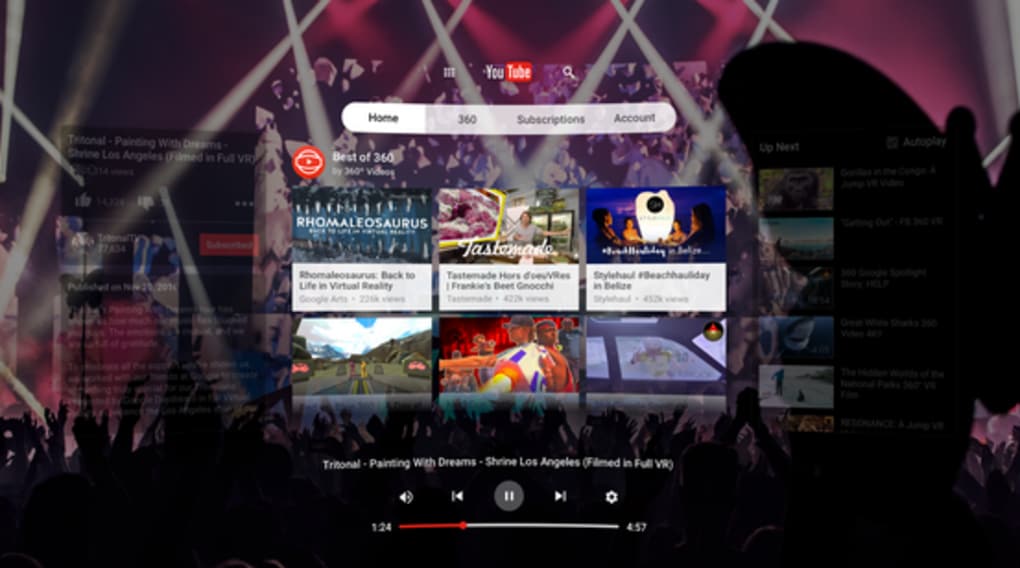
- Interactive Interface – Displays navigation controls and video lists to the left and right of the main screen, allowing for intuitive access without breaking immersion.
- Multiple Control Options – Supports both voice commands for hands-free operation and keyboard input for traditional control, adapting to user preference.
- Android Device Integration – Designed to run on Android devices, acting as a bridge between YouTube and VR headsets.
- Compatibility with VR Headsets – Functions with any Android-compatible VR headset, allowing broad accessibility across existing hardware.
These features support a seamless transition from standard YouTube browsing to a fully immersive experience. For example, a user watching a cooking tutorial can view the video as if standing in front of a kitchen, with control panels positioned for easy access. Similarly, music video fans can enjoy performances as if seated in a virtual concert hall. The software’s design prioritizes ease of use and accessibility, ensuring that even casual users can quickly adapt to the VR interface.
User Interface, Workflow & Performance
The user interface of YouTube VR is structured around spatial awareness, with video content displayed centrally and navigation elements placed on either side. This layout supports a natural workflow, allowing users to switch between videos, adjust playback, and browse channels without removing the headset. The interface is optimized for touchless interaction through voice commands, while keyboard support provides an alternative for users who prefer tactile input.
Workflow efficiency is enhanced by the app’s direct integration with YouTube’s content library, eliminating the need for separate accounts or complex setup. However, the developer did not specify resource usage details, such as CPU or RAM consumption, nor did they provide performance benchmarks. General software behavior patterns suggest stable operation under normal conditions, but actual performance may vary based on device capabilities and headset specifications.
Stability appears to be a core focus, given the app’s free distribution model and emphasis on user experience. The lack of reported crashes or errors in public forums indicates consistent functionality, though no official metrics were provided. Users are advised to ensure their Android device and VR headset are up to date to maintain optimal performance.
Compatibility & System Requirements
YouTube VR is designed to run on Android devices and is compatible with any VR headset that supports Android. The application is available for download from the Google Play Store, ensuring access to a wide range of users. However, the developer did not specify exact system requirements, including minimum RAM, processor speed, or storage space needed for installation.
Installation size and hardware compatibility information were not provided. Users should verify their device’s compatibility with the latest Android version and ensure their VR headset supports Android-based applications. The software does not appear to be available for Windows or Mac systems, limiting its use to Android-based mobile and VR platforms.
Platform compatibility information is limited, and no official documentation outlines supported device models or firmware versions. Users are encouraged to consult the Google Play Store listing for the most accurate details on device compatibility.
Pros and Cons
Pros
- Free to download and use with no in-app purchases
- Offers immersive VR viewing for YouTube content
- Supports both voice and keyboard controls for flexibility
- Compatible with any Android-based VR headset
- Intuitive interface designed for spatial navigation
Cons
- Not available for Windows or Mac operating systems
- Exact system requirements were not listed
- Performance details were not specified
- Limited to Android devices and VR headsets
- Developer background and company information not provided
FAQ Section
Is YouTube VR available for Windows or Mac?
YouTube VR is designed for Android devices and is not available for Windows or Mac operating systems. It requires an Android-based VR headset for operation.
Is the app safe to download?
YouTube VR is available through the Google Play Store, which provides a secure environment for app distribution. Users should download the application directly from the official store to ensure authenticity and security.
Does YouTube VR require an internet connection?
Yes, an active internet connection is required to stream videos from YouTube. The app functions as a VR interface for YouTube’s content library and does not store videos locally.
Can I use YouTube VR offline?
Offline viewing is not supported, as the application relies on real-time streaming from YouTube’s servers. Videos must be accessed online to be played within the VR environment.
How often is YouTube VR updated?
Update frequency is not specified. Users should check the Google Play Store for the latest version and any available updates.
Final Thoughts + CTA
YouTube VR delivers a compelling entry point into immersive video consumption, transforming the standard YouTube experience into a personal, 360-degree viewing environment. Its free access, compatibility with a wide range of Android-based VR headsets, and dual control options make it a practical choice for users exploring VR technology. While the lack of detailed system requirements and performance data limits in-depth evaluation, the app’s core functionality remains robust and accessible.
It is particularly well-suited for consumers interested in enhancing their entertainment and learning experiences through virtual reality. Despite its platform limitations, YouTube VR stands out as a versatile tool for anyone with an Android device and a compatible headset.
Download YouTube VR now and start enjoying the ultimate YouTube experience today.






.png)
